
One Page, 78 Keywords, $332K in Paid Calls: My Local SEO Keyword Research Loop
A 167-character title put one local page in front of 78 queries. How I read Search Console to pick the next micro site, and the loop behind $332K in paid calls.
On this page
- How Many Keywords Per Page? And How Long Can a Meta Title Be?
- The Pattern: One Page, Every Sub-Service in the Title, H1 and Hero
- Local SEO Keyword Research From Search Console, Not a Keyword Tool
- Read the Data, Then Build One Site per Winning Sub-Service
- How I Set This Up in Local Sites Pro
- Nationwide Sites: the Same Templates Across Every City (LeadsXPro)
- Let Claude Check It Every Week
- What This Is Worth
- Quick Checklist
- Final Thoughts
A small local SEO case study. I put every sub-service a page serves into its title, H1 and hero. One small-town plumbing page showed up for 78 search queries that way. Here is how I read that data, plan the next site from it, and why this loop sits under every call we get paid for.
How Many Keywords Per Page? And How Long Can a Meta Title Be?
I often get asked this one. How many keywords per page is safe? Should the meta title length stay under 60 characters? Can I rank one page for multiple keywords, or do I need a page for every keyword?
My answer: on a few data sites, put in as many sub-services as the page honestly serves. That means the services the page covers, each with its own block of content, and nothing it doesn't.
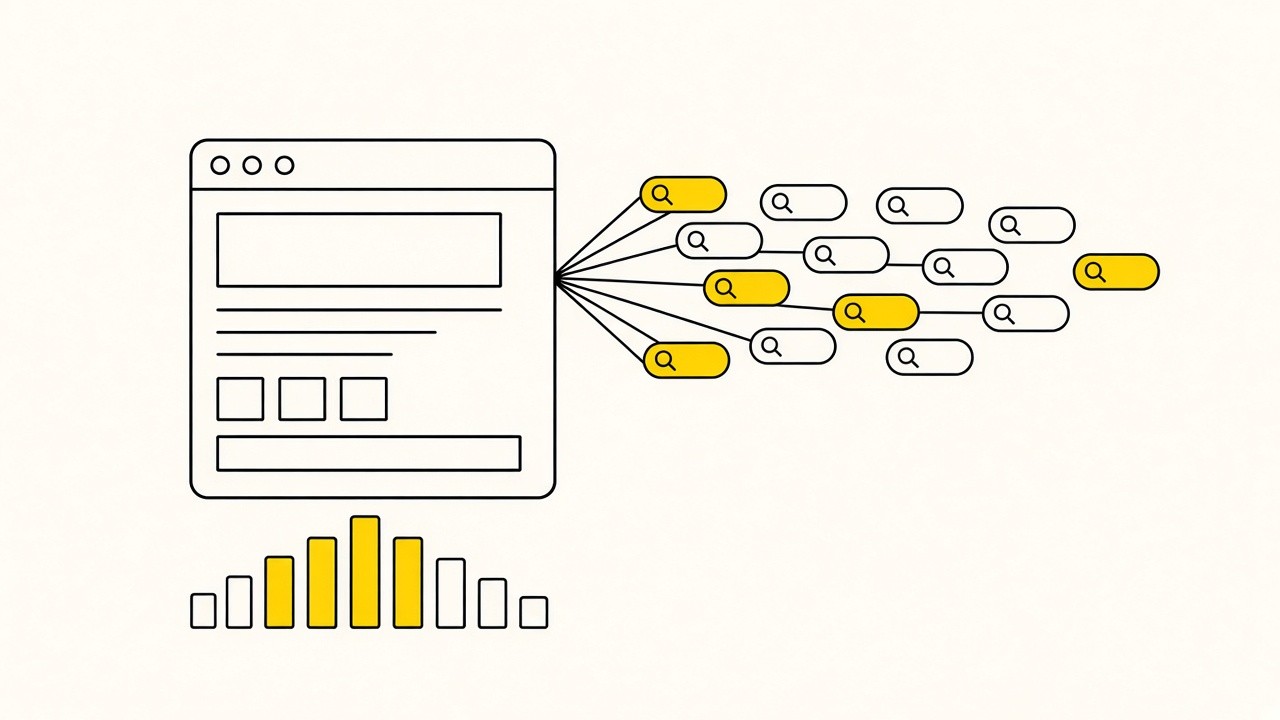
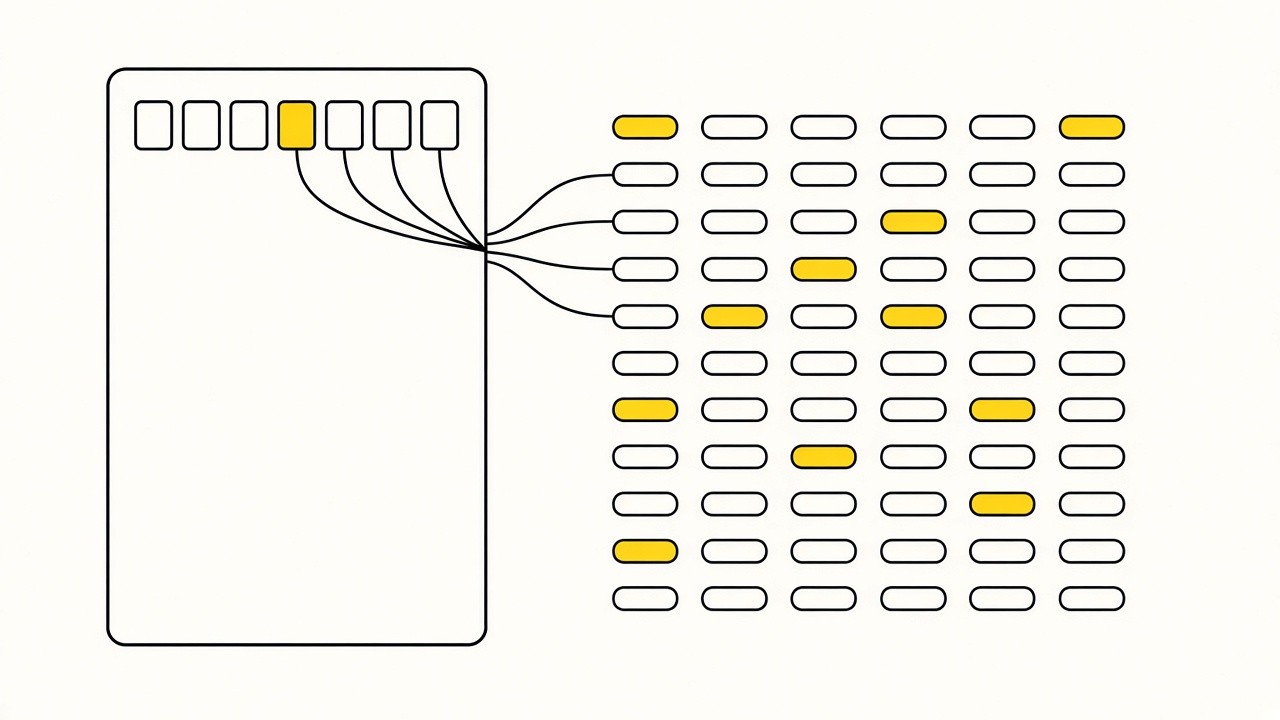
I plan multiple keywords in the meta title, the description and the content using static text templates. Stacking sub-services in the title, the hero and through the page makes the page eligible to rank for each of them. If it does not rank, I still get impressions data, and that data plans my next website build. It is the local SEO strategy behind every home services site I build, plumbing included.
Here is a real example: one plumbing city page for Summerton, SC, a town of about a thousand people, showed up for 78 different queries and 23,168 impressions in roughly 100 days of active data. That is about 7,000 impressions a month from one page, at an average position of 12.1.
In this post I will cover the title pattern, what Search Console showed, how I turn that into one micro site per winning sub-service, how Claude checks it every week, and what the whole loop has paid us so far.
The Pattern: One Page, Every Sub-Service in the Title, H1 and Hero
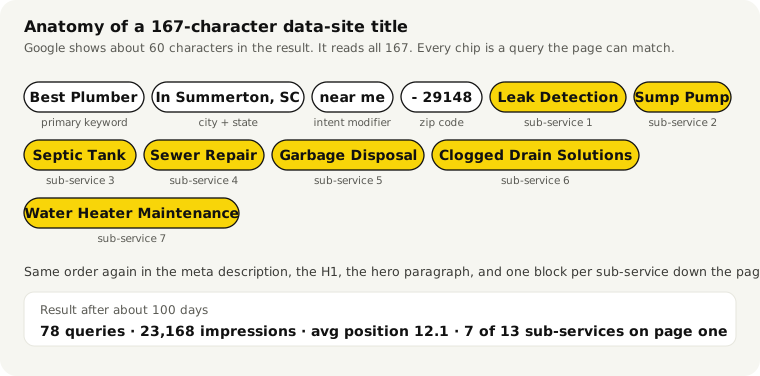
This is the title tag on that Summerton page. It is 167 characters long, on purpose.
Best Plumber In Summerton, SC near me - 29148 Leak Detection, Sump Pump, Septic Tank, Sewer Repair, Garbage Disposal, Clogged Drain Solutions, Water Heater Maintenance
And this is its meta description:
Discover top-notch plumbing solutions with our expert team in Summerton, SC. Call (877) XXX-XXXX. Specializing in Leak Detection, Sump Pump, Septic Tank, Sewer Repair, Garbage Disposal, Clogged Drain Solutions, and emergency plumbing services in 29148.
The main keyword and the city come first, then "near me", the zip and seven sub-services. Each one is a query Google can match.
On the Summerton page, the same sub-services were repeated in the H1, the hero paragraph and the service blocks down the page. On my data sites, every sub-service goes in all of these places:
- The title tag, after the city and the zip
- The meta description
- The H1
- The hero paragraph, in the first lines a visitor reads
- Its own content block further down the page
- The FAQ
I don't write that by hand. It's a static text template with the city, the zip and the services filled in.
Meta Title Length: Why I Ignore the 60 Character Rule on Data Sites
The usual advice is to keep the title tag length under 60 characters and the meta description length under 160. On these 3 data sites, I ignore both. Google may rewrite what it shows in the results, but it still reads every word, and the Summerton page is the proof. The title of this post is over 60 characters too, for the same reason.
On the micro sites that are meant to be clicked, I follow the guideline. One service, one city, a clean title. That site needs the click, while the data site only needs to be seen.
Local SEO Keyword Research From Search Console, Not a Keyword Tool
A keyword tool shows nothing for most of these queries. A town of a thousand people never has search volume in a tool. Search Console does the local keyword research for you, one page at a time, once the page is eligible for the queries.
I took the 16-month Search Console export and filtered it down to this one page. Then I grouped the 78 queries by sub-service. Average position is weighted by impressions.
| Sub-service (as searched) | Queries | Impressions | Avg position |
|---|---|---|---|
| Generic "plumber / plumbing Summerton" | 19 | 6,037 | 16.9 |
| Emergency plumber | 6 | 2,263 | 9.3 |
| Water heater repair (incl. tankless, replacement, expansion tank) | 10 | 2,031 | 14.6 |
| Sump pump repair | 4 | 1,444 | 5.7 |
| Gas line repair | 4 | 1,420 | 11.3 |
| Water line repair | 4 | 1,415 | 11.4 |
| Drain cleaning | 4 | 1,401 | 11.5 |
| Faucet repair | 4 | 1,366 | 8.1 |
| Slab leak repair | 4 | 1,362 | 8.2 |
| Garbage disposal repair | 4 | 1,331 | 8.0 |
| Pipe break repair | 4 | 1,308 | 7.6 |
| Bathroom plumbing | 2 | 708 | 7.2 |
| Leak detection | 2 | 693 | 12.7 |
| Furnace / heat pump (not on the page at all) | 4 | 192 | 36.1 |
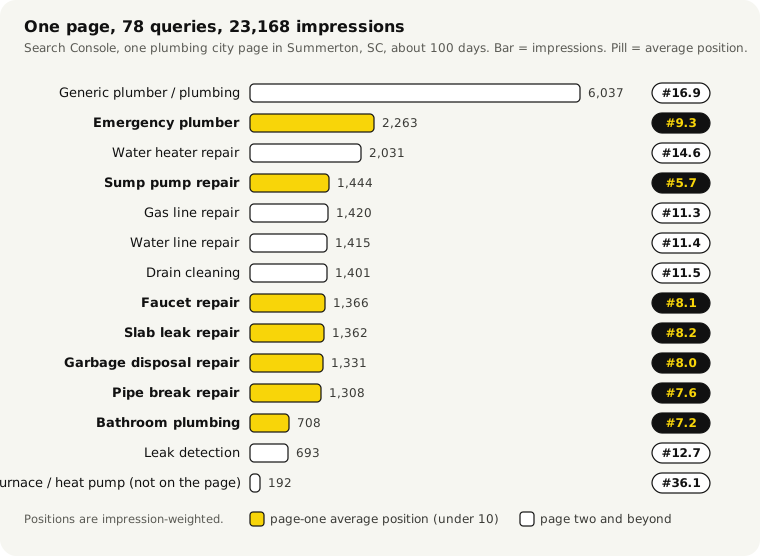
Some of the actual queries, with impressions: "summerton sc emergency plumber" (452), "water heater repair summerton" (431), "sump pumps repair summerton" (378), "water line repair summerton sc" (368), "summerton gas line repair" (367) and "slab leak repair summerton" (366). Roughly three quarters of all the impressions came from the United States.
This is how I read the table:
- The generic terms are the hardest. "Plumber" and "plumbing Summerton" have the most impressions and the worst position, 16.9. Every plumber in the county competes for those.
- Sump pump repair sits at 5.7 with 1,444 impressions. "Sump Pump" is two words in a 167-character title, and Google still matched it.
- Four sub-services are on page one. Pipe breaks (7.6), garbage disposal (8.0), faucet (8.1) and slab leak (8.2).
- Water heater is the obvious first micro site. It has 10 queries and 2,031 impressions, more than any other named repair, and it ranks on page two at 14.6.
- Furnace and heat pump showed up without being on the page. 192 impressions at position 36.1. That is Google telling you what else the town wants.
Now the part people skip. All of this got 1 click.
A page sitting at position 8 to 15, behind the map pack and the ads, gets seen, not clicked. I'm fine with that. The point of this page was the data. Clicks and calls come from the next step, one site per winning sub-service.
Read the Data, Then Build One Site per Winning Sub-Service
You can test multiple micro services with one website and then plan the next website for one micro service. Here is the loop I follow:
- Build the data site. City, zip and 6 to 8 sub-services in the homepage title, the same sub-services in the H1 and hero, and a service page for each one.
- Wait 2 to 4 weeks. Let the impressions come in before you judge anything.
- Group the queries by sub-service. "Water heater repair", "tankless water heater" and "water heater replacement" all go in one bucket.
- Pick the winners. I look for two things: a page-one position, or the most impressions. In Summerton that is sump pump (5.7) and water heater (2,031 impressions on page two).
- Build a micro site for each winner. One sub-service, one city, a title that follows the 60-character guideline.
- Internal link both ways. The service page on the broad site links to the micro site's homepage. The micro site's footer or about page links back.
- Move the winners earlier in the data site's title. It keeps collecting data, now leading with what Google already matches.
Here is what narrow sites look like in our own data over the last 90 days. In Mesa, AZ, one city with several one-service sites: AC repair took 69 calls (6 paid, $504), water heater repair 58 calls (2 paid, $140), termite treatment 43 calls, scorpion control 34 calls and drain cleaning 25 calls. Spokane, WA follows the same pattern: rodent control 89 calls (11 paid, $263), roof moss removal 86 calls (4 paid, $231) and water heater repair 39 calls. Individual results vary.
A one-service site can take dozens of calls from a few thousand impressions. The broad site tells you which service. The narrow site takes the calls.
Doesn't This Cause Keyword Cannibalization?
No. Keyword cannibalization is two of your pages fighting for the same query. Here one page holds every sub-service until one of them earns its own site. Then the micro site takes that query, the data site keeps its service page and links across, and I move that sub-service later in the data site's title. One query, one winner, by design.
Notice that both are one-city setups. That is the same idea from my Day -21 backlinks post: own one city, then add niches and sub-services around it. If you are still picking the niche, my rank and rent niches guide goes through which ones fit.
The Cross-Check: What Callers Say on the Phone
I counted mentions across our recorded plumbing call transcripts. "Gas leak" came up 76 times, "leak detection" 64, "septic tank" 53, "water heater" 48, "gas line" 29, "hot water heater" 29, "sump pump" 23 and "garbage disposal" 21.
The sub-services Search Console surfaced are the same ones people say on the phone. So I treat those impressions as real jobs that are waiting for a site.
How I Set This Up in Local Sites Pro
For single-city sites I use Local Sites Pro. You enter the niche, the city, the company name and the phone, and pick the services. The AI writes the homepage, one page per service, area pages, FAQs, schema and internal links. Most sites are live in about ten minutes on your own free Cloudflare account.
Every page's title tag, meta description, H1 and body are editable in the dashboard. For a data site, I put the city, the zip and 6 to 8 sub-services in the homepage title, repeat them in the H1 and the hero paragraph, and make sure each one has its own service page.
The 3-site test fits the Starter plan exactly: $15 one-time for 3 sites. When you want unlimited sites, Search Console with AI optimization and the prompt library, that is Pro at $119 a year. Both are on the pricing page.
Search Console connects in one click. Through the MCP, Claude can read the data with gsc_performance (grouped by query or page), gsc_opportunities (low-CTR pages and striking-distance keywords, positions roughly 8 to 20), gsc_inspect_url and gsc_submit_sitemap, and change pages with get_page_content, update_page_content and publish_website. Edits are not live until publish_website runs.
Nationwide Sites: the Same Templates Across Every City (LeadsXPro)
A nationwide site is one domain that covers the country. The apex domain is the national page, each state gets its own subdomain, each city gets its own subdomain under the state, and every level has service pages. That is thousands of pages from one build.
The titles and descriptions are templates per level, with placeholders for [location], [zip] and [service]. These are from our own roofing build:
Apex:    Roof Repair in Coeur d'Alene, ID near me - 83814 Ice Dam Removal, Roof Leak Repair, Metal Roof Repair, Roof Replacement, Siding Repair
State:   Roof Repair in [location] near me - Ice Dam Removal, Roof Leak Repair, Metal Roof Repair, Roof Replacement
City:    Roof Repair in [location] near me - [zip] Ice Dam Removal, Roof Leak Repair, Metal Roof Repair, Roof Replacement, Siding Repair
Service: [Service] in Coeur d'Alene, ID 83814 near me - Roof Repair, Ice Dam Removal, Roof Leak Repair, Metal Roof Repair, Siding Repair
[zip] renders blank on pages that have no zip, so one template is safe everywhere.
Change one template and every city page in the country updates. That is why nationwide is the fastest way I know to collect sub-service demand data by state and city. The Summerton page is one city page from exactly this kind of site.
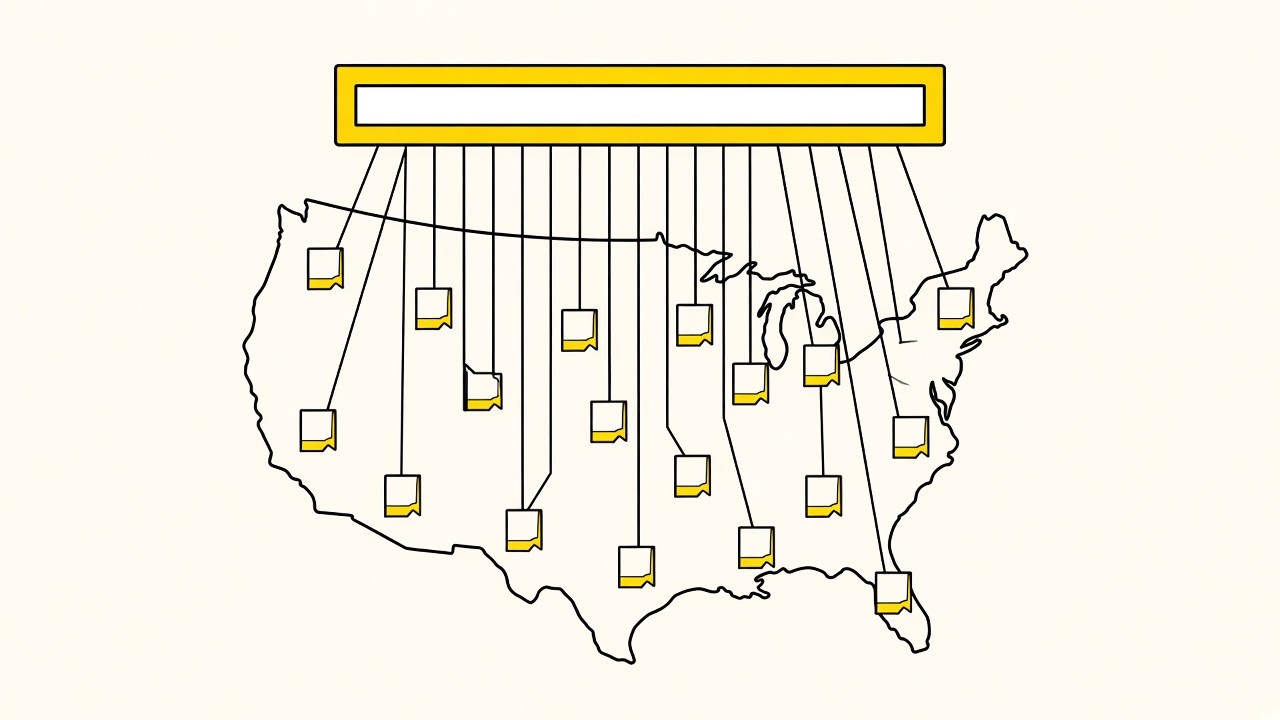
This is programmatic SEO at the local level: one template, one data source, thousands of local landing pages, and Search Console reporting on all of them.
Nationwide builds are not part of Local Sites Pro. They are part of LeadsXPro: $500 lifetime for 50 nationwide websites hosted on our server, plus the private community and 1-1 time with me. Start with 3 single-city data sites. When the loop is working, LeadsXPro is how you run it at country scale.
Let Claude Check It Every Week
Try 3 websites and get the data. Then stop checking it by hand. Connect Search Console to Local Sites Pro, connect the MCP to Claude (more on that on the Claude website builder page), and create a scheduled task in Claude. That can be a claude.ai scheduled task or a Claude Code routine. I run it every 3 to 7 days with a prompt like this:
For each of my 3 data sites, pull Search Console queries for the last 7 days with gsc_performance, group them by sub-service, compare impressions and average position with the previous 7 days, and tell me which sub-services are climbing and which are dead. For every sub-service that gained impressions, propose a new homepage title, H1 and hero line that move it earlier in the title. For every sub-service with a page-one position, propose a dedicated site name and the 5 sub-services for its own title. Do not change anything until I reply yes. When I say yes, apply it with update_page_content and publish_website.
Claude proposes, you approve. Nothing goes live without your yes. That is the only local SEO automation I trust: the data pulls and the drafts are automatic, the publish is not.
Why weekly? A fresh site's impressions shift for the first 8 to 12 weeks. The title you launched with is a guess. The title you have after 4 checks is data.
What I move each week:
- The sub-service with the biggest impression gain moves earlier in the title.
- A sub-service with zero impressions after 4 weeks comes out of the title. Its page stays.
- A sub-service on page one with real impressions gets its own site, and the two sites link to each other.
This way the site stays updated. Better indexing, ranking and calls is what I'm after, and the weekly check is how I chase them.
What This Is Worth
Our launchpad is the internal dashboard where our team and members track Search Console, calls and payouts. In the 90 days to Oct 5, 2026, it tracked 486 of our sites and our members' sites: 11.08 million impressions, 17,969 clicks and 4,211 tracked calls. 379 of those sites have impressions, and 187 have taken at least one call.
To date across those tracked sites: 30,497 calls, 12,049 of them paid by a buyer (40%), and $332,357 paid out. Every one of those sites started the way this post describes: sub-services stacked on a page, Search Console read, the winners built out. Individual results vary.
Three single sites from the last 90 days:
| Site | Impressions | Clicks | Calls | Paid calls | Paid out |
|---|---|---|---|---|---|
| Septic | 956,665 | 3,454 | 1,107 | 31 | $914 |
| Porta potty rental | 368,111 | 2,906 | 598 | 377 | $5,652 |
| Pipe repair, Spokane, WA | 182,393 | 98 | 114 | 16 | $1,116 |
Individual results vary. Look at the septic row: 1,107 calls and only 31 paid, because the calls had no buyers in the zip. Coverage was the limit there, not traffic.
And this is what one converted call is worth, from our transcribed calls:
| Niche | Median job value to the business | Paid to us per converted call |
|---|---|---|
| Water damage | $2,500 | about $121 |
| Roofing | $850 | $42 |
| Plumbing | $225 | $30 |
| HVAC | $125 | $34 |
Individual results vary. For whole batches of sites, read the 51 pay per call sites case study ($652 in, $422 back in month one) and the 72 pay per call sites case study.
Quick Checklist
Final Thoughts
You don't need to guess which sub-service a town wants. Put every service the page serves into the title, the H1 and the hero, and let Search Console show you which queries it picks up. The Summerton page got 1 click, and it still told me which micro site to build first.
So start with 3 single-city data sites. When the weekly loop works, LeadsXPro is how I run the same templates across every city in the country.
Stack the sub-services, read the impressions, build the next site on the winner. Go data backed.
1 comment
Or discuss it in the Skool communityTrying this on a 3-site Starter batch this week. Will report back the impressions by sub-service.